

Perform funnel analysis
Use funnel analysis to evaluate how users move through the steps you defined in a funnel and to identify where they drop off.
This topic describes how to perform funnel analysis in the Alipay+ Mini Program platform.
Prerequisites
Make sure you have created the funnels you wish to analyze. For more information, see Manage funnels.
Procedure
- Log on to the Alipay+ Mini Program platform.
- In the left navigation panel, choose Mini Programs > Custom Analysis.
- On the displayed Custom Analysis page, find the desired mini program.
- Click Funnels in the Action column. The Manage Funnel tab is displayed.
- On the Manage Funnel tab, click Funnel Analysis.
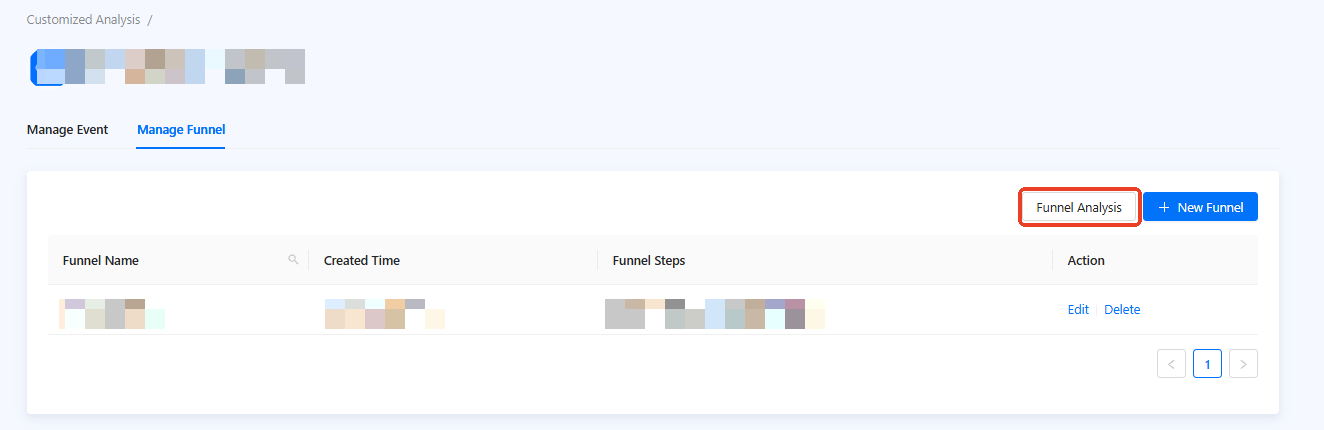
Figure 1. Funnel list
- On the Funnel Analysis page, configure the parameters in the Funnel Analysis Conditions area.
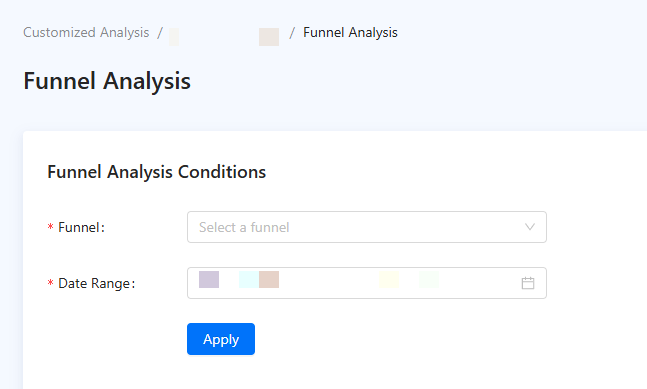
Figure 2. Funnel Analysis Conditions
Parameter | Description |
Funnel | The funnel to be analyzed. Select a pre-defined funnel from the dropdown list. |
Date Range | Select a time period for the funnel analysis. |
- Click Apply.
Analyze data
After applying the funnel analysis conditions, you can click Graph or Data Details in the Funnel Analysis Result area to view the analysis results in a visual or tabular format.
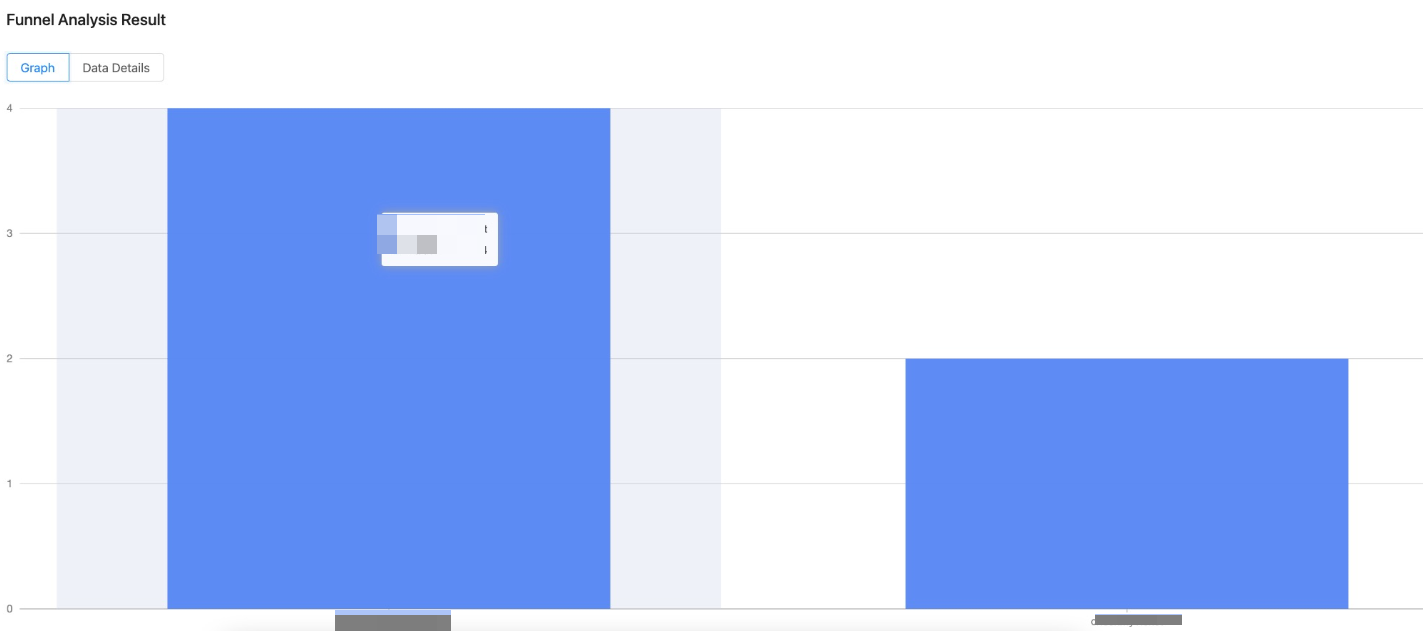
Figure 3. Funnel graph
Graph
The Graph tab visualizes the funnel. It shows how many users completed each step and the conversion rate between steps, giving a quick view of where users drop off.
Data Details
The Data Details tab provides a table with granular metrics for each step, including the step-to-step conversion rate and the drop-off rate.
Based on this analysis, you can pinpoint the exact steps causing user friction and develop strategies to optimize your mini program's user flows.